> For the complete documentation index, see [llms.txt](https://sofinx.gitbook.io/sofinx-help-center-zh/llms.txt). Markdown versions of documentation pages are available by appending `.md` to page URLs; this page is available as [Markdown](https://sofinx.gitbook.io/sofinx-help-center-zh/bang-zhu-zhong-xin/xun-hao-yuan-zhi-nan/ru-he-shang-jia-xun-hao-yuan.md).
# 如何上架訊號源?
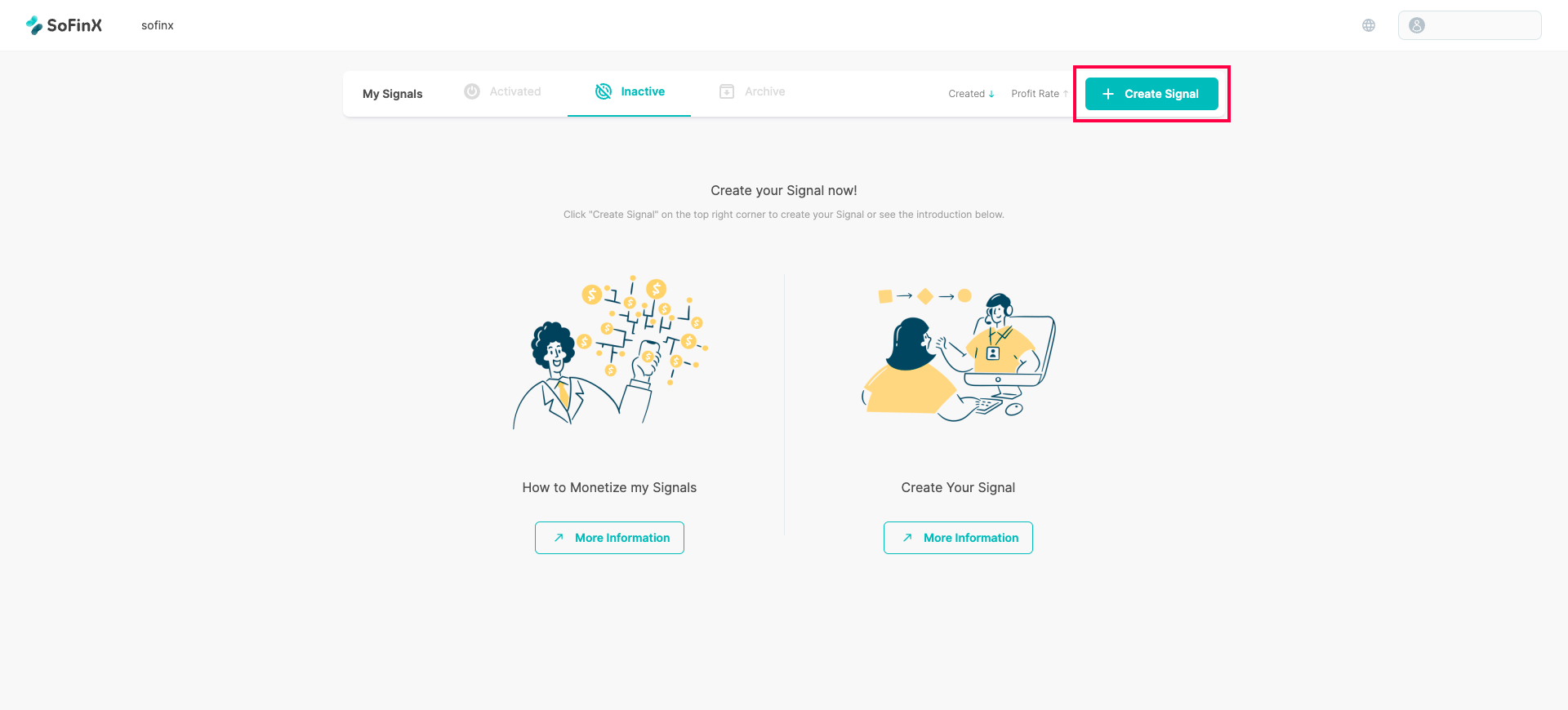
1. 點擊右上角「+創建訊號源」,選擇您的交易平台並為您的訊號源取名。簡約的描述您的訊號源可以吸引更多跟隨者!完成後點擊「連接」。
 2. 輸入訊號資訊。目前可以使用 「 MT平台 」 與 「 幣安 」。
 3. 輸入訊號源的名稱以及描述。
 4. 請選擇連接方式,分別有**帳號連接 (MT4)**以及**下載EA連接,兩種方式。**
 ## **帳號連接 (MT4) 教學**
1. 選擇**帳號連接 (MT4)**
## **帳號連接 (MT4) 教學**
1. 選擇**帳號連接 (MT4)**
 2. 輸入MT相關資料
 3. 選擇交易品種,強烈建議切換成\[Symbol Pairing] 讓品種自動配對。
 ## **下載EA連接**
EA操作相對複雜,請跟隨以下影片流程操作。
{% embed url="" %}
最後,同步您的交易品種,完成配對後即完成訊號源創建!
## **下載EA連接**
EA操作相對複雜,請跟隨以下影片流程操作。
{% embed url="" %}
最後,同步您的交易品種,完成配對後即完成訊號源創建!

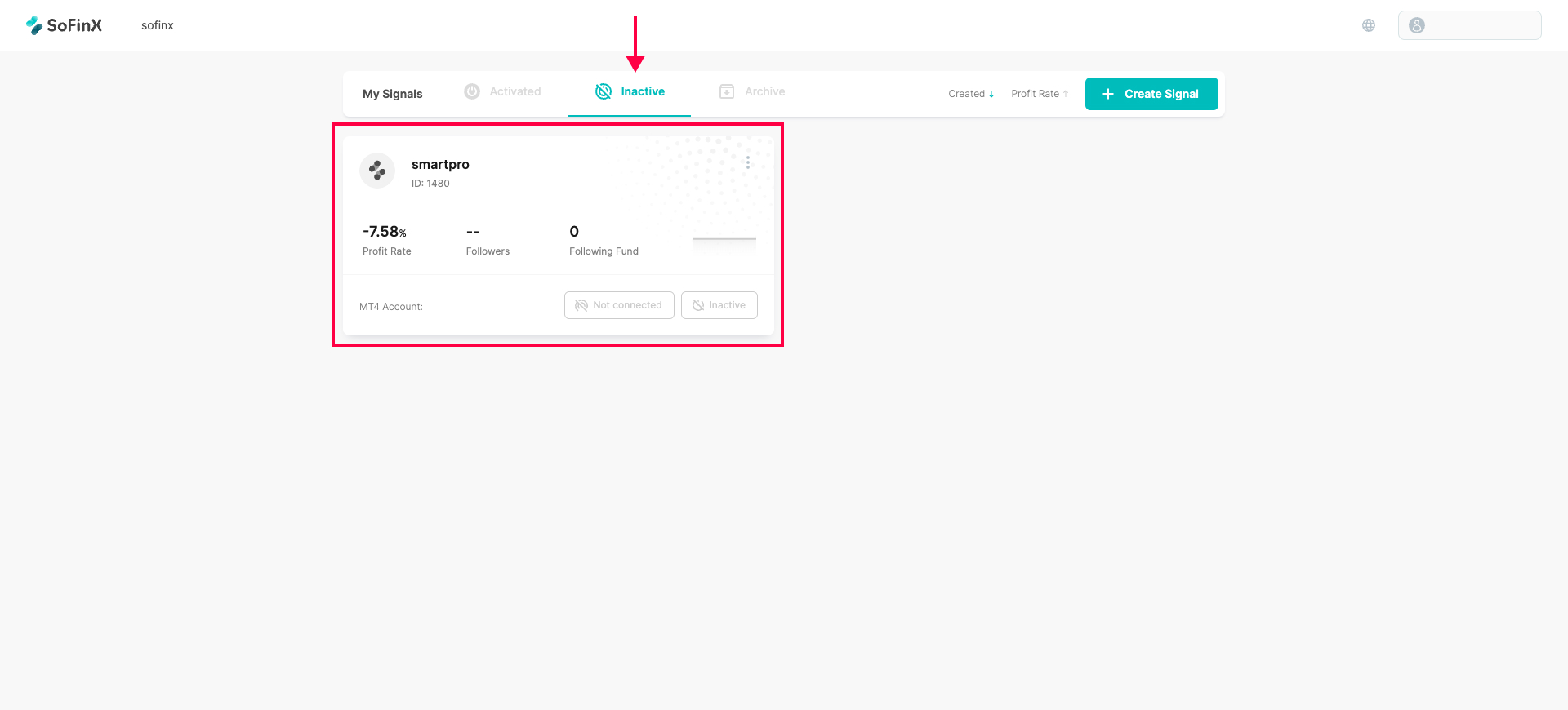 恭喜你創建了自己的訊號源!接下來請返回訊號源頁面,點選未啟用尋找創建成功的訊號源,並且點選未啟用之按鈕會跳出 「 可啟用訊號 」 的提示。
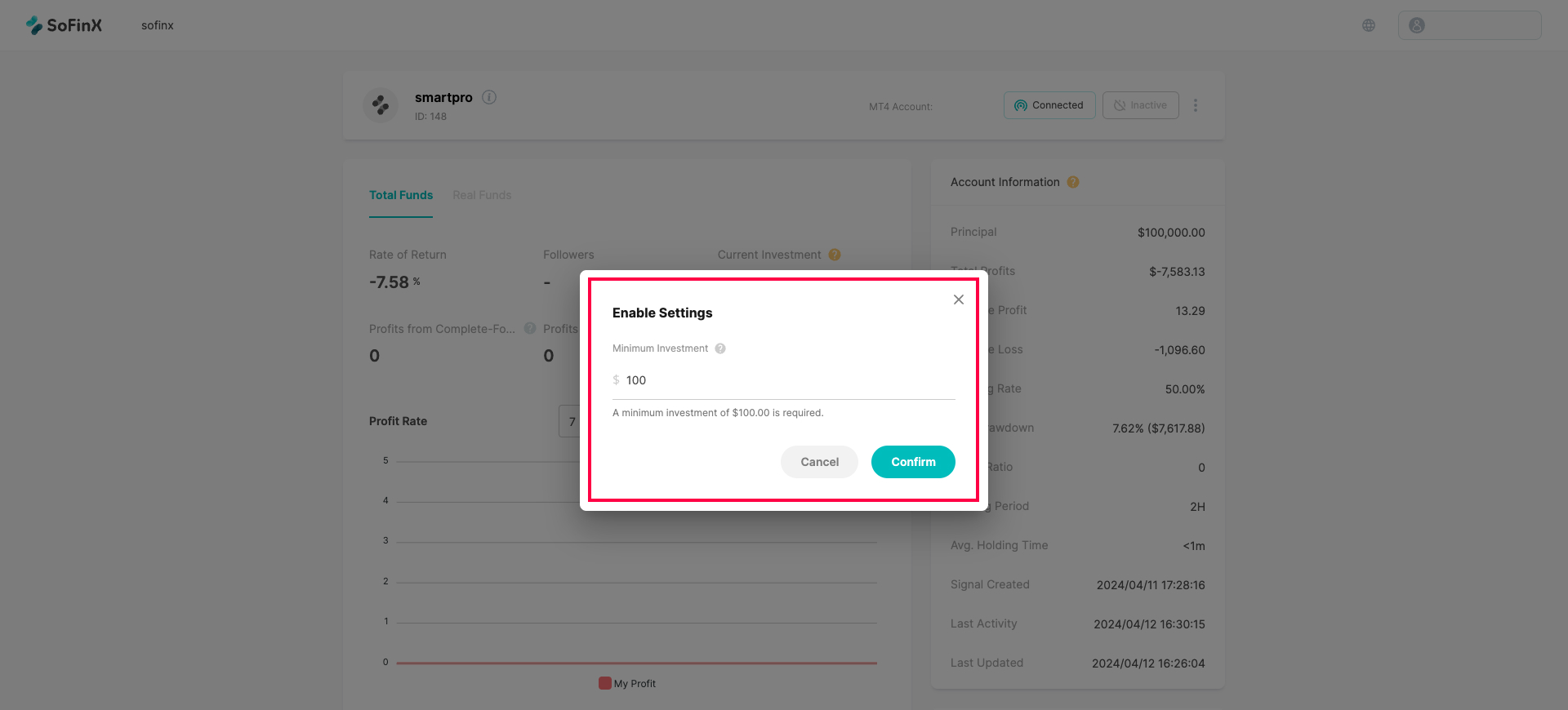
點選可啟用訊號後,調整啟用訊號源設定,包含跟隨資金限制、利潤分成比例,填寫完成後按下確認。
恭喜你創建了自己的訊號源!接下來請返回訊號源頁面,點選未啟用尋找創建成功的訊號源,並且點選未啟用之按鈕會跳出 「 可啟用訊號 」 的提示。
點選可啟用訊號後,調整啟用訊號源設定,包含跟隨資金限制、利潤分成比例,填寫完成後按下確認。
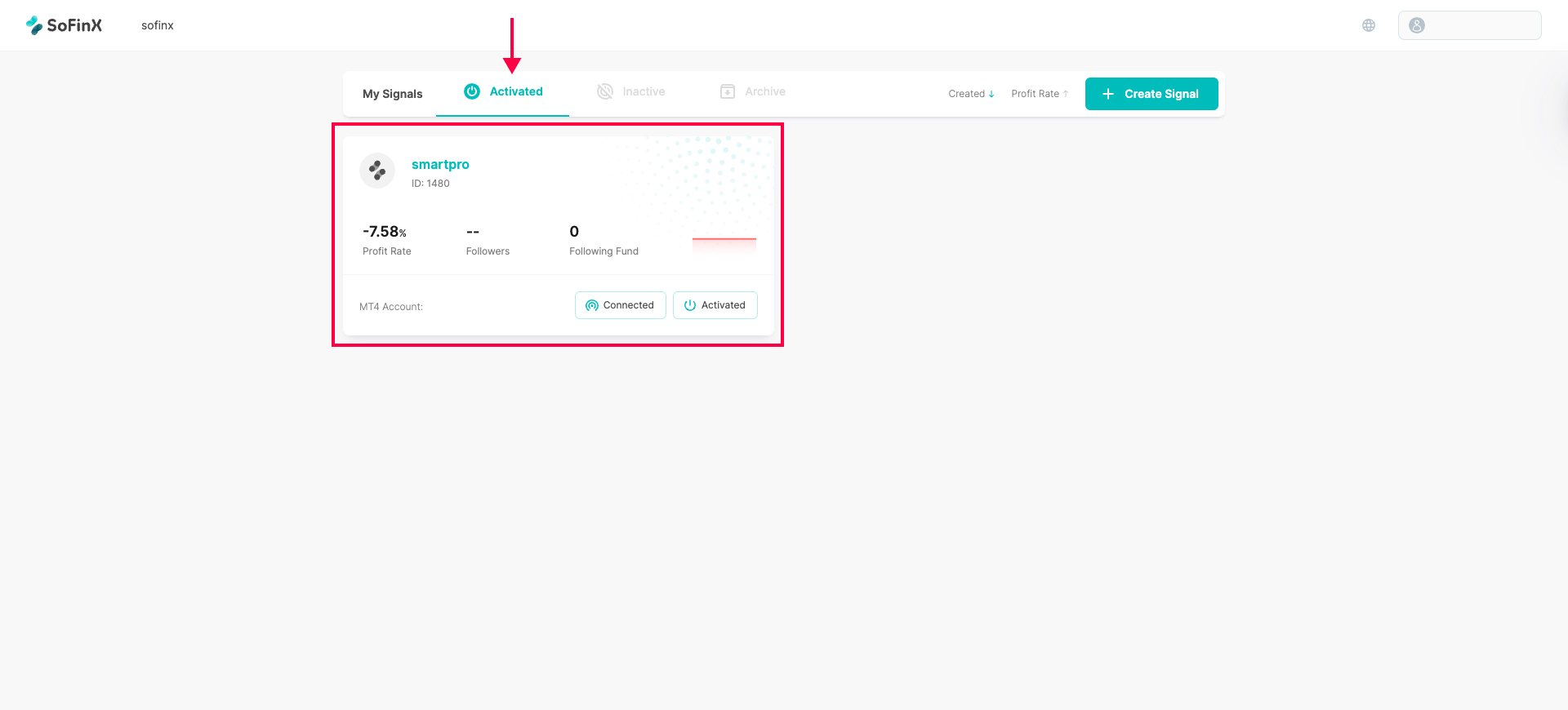
 恭喜你!已經完成上架訊號源了!提醒你,可在訊號源細節頁查詢目前訊號狀況以及跟隨人數哦!
[<< 返回 “訊號源指南”](/sofinx-help-center-zh/bang-zhu-zhong-xin/xun-hao-yuan-zhi-nan.md)
恭喜你!已經完成上架訊號源了!提醒你,可在訊號源細節頁查詢目前訊號狀況以及跟隨人數哦!
[<< 返回 “訊號源指南”](/sofinx-help-center-zh/bang-zhu-zhong-xin/xun-hao-yuan-zhi-nan.md)